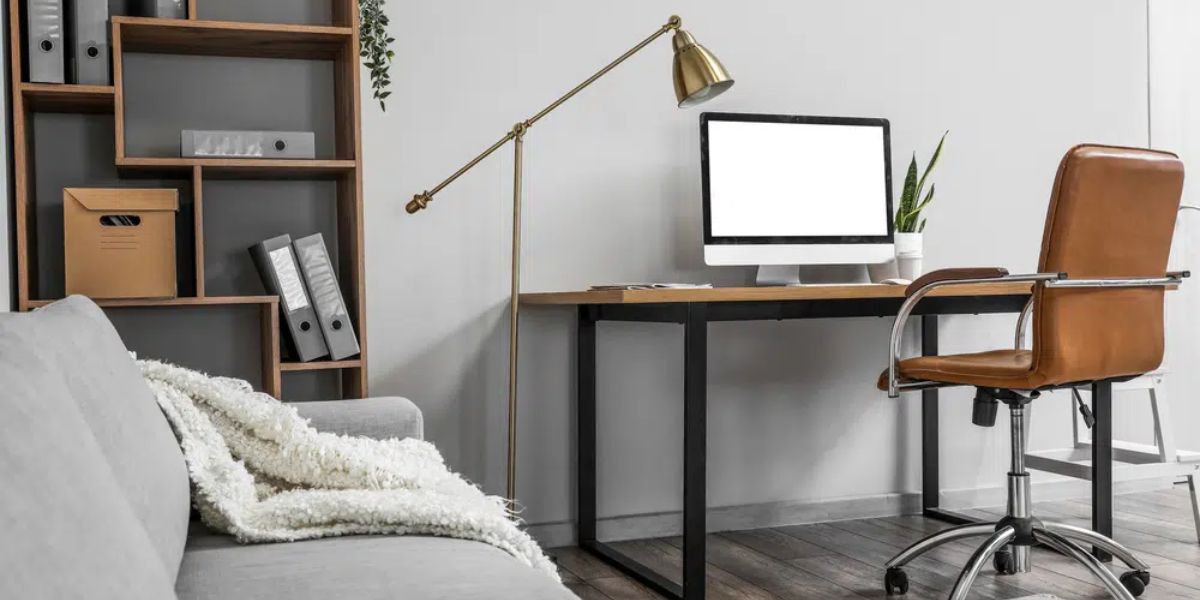
Working from home has become the new normal for many Americans, but maintaining productivity in a home environment can be challenging. A well-designed home office isn’t just about having a desk and a computer—it’s about creating a workspace that promotes focus, comfort, and efficiency. Whether you’re a freelancer, remote employee, or entrepreneur, setting up a productive home office can significantly impact your performance and well-being. Here’s how to do it right.
Choosing the Right Location
The first and most important step is to choose a quiet and comfortable location for your workspace. Avoid high-traffic areas of your home where distractions are common. Ideally, your office should be a separate room, but if that’s not possible, create a defined area dedicated solely to work.
Table of Contents
Tip: Natural light is a game changer. Position your desk near a window to boost your mood, reduce eye strain, and stay energized throughout the day.
Setting Up Ergonomic Furniture
Your office furniture plays a key role in maintaining productivity and preventing fatigue. Invest in a good-quality ergonomic chair that supports your back and promotes good posture. Pair it with a sturdy desk at the right height for your needs.
Tip: Your monitor should be at eye level, and your keyboard should allow your arms to rest at a 90-degree angle. This helps prevent back and neck pain during long work hours.
Organizing Your Workspace
A clutter-free space leads to a clutter-free mind. Keep only the essentials on your desk—your computer, a notebook, and a few supplies. Use storage organizers, shelves, or drawers to keep documents and accessories out of sight but within reach.
Tip: Implement the “one in, one out” rule to prevent clutter buildup. For every new item you bring into your office, remove something you no longer use.
Investing in the Right Technology
A productive home office needs reliable technology. Ensure your internet connection is fast and stable, especially if your work involves video meetings or large file transfers. Use noise-canceling headphones to block distractions and enhance focus.
Tip: Consider adding dual monitors if your work involves multitasking. It can increase productivity by up to 30%, according to recent studies.
Managing Lighting and Temperature
Good lighting can make or break your workspace. Combine natural light with soft, warm artificial lighting to reduce glare and eye strain. Avoid harsh overhead lights and opt for desk lamps with adjustable brightness.
Tip: Keep your workspace at a comfortable temperature. Studies show that working in a room between 68°F and 72°F is optimal for focus and comfort.
Personalizing Your Environment
Your home office should inspire you. Personal touches—such as plants, artwork, or motivational quotes—can help create a space that feels welcoming and encourages creativity.
Tip: Choose calming colors like blue, green, or neutral tones for your workspace. These shades are known to enhance focus and reduce stress.
Setting Boundaries Between Work and Home Life
One of the biggest challenges of working from home is separating personal life from work. Set clear boundaries by defining your work hours and communicating them with your family members or housemates.
Tip: Avoid working from your bed or couch. Keeping your workspace separate helps signal to your brain that it’s time to focus, not relax.
Establishing a Routine
A productive workday starts with a consistent routine. Begin your day at the same time, take regular breaks, and set clear start and end times for work. Structure your schedule to include time for meals, exercise, and relaxation.
Tip: Use time-blocking methods to plan your day. Assign specific time slots to tasks to improve focus and avoid multitasking.
Maintaining Digital Organization
A tidy digital workspace is just as important as a physical one. Keep your desktop and folders organized, and use productivity apps to stay on top of your tasks and deadlines.
Tip: Tools like Notion, Asana, or Google Calendar can help streamline your workflow and reduce time wasted searching for files or emails.
Prioritizing Comfort and Wellness
Lastly, remember that productivity is closely tied to comfort and well-being. Incorporate small habits that promote health throughout your workday—like standing up every hour, stretching, or drinking enough water.
Tip: Consider using a standing desk or a desk converter to alternate between sitting and standing. It helps improve circulation and boosts energy levels.
Conclusion
Creating a productive home office goes beyond choosing furniture—it’s about designing a space that supports your goals, minimizes distractions, and enhances your work-life balance. With the right setup, you’ll not only improve your efficiency but also make working from home an enjoyable experience.
Call to Action: How have you customized your home office for better productivity? Share your ideas in the comments below and explore more practical lifestyle tips at GeckoBlue.org!